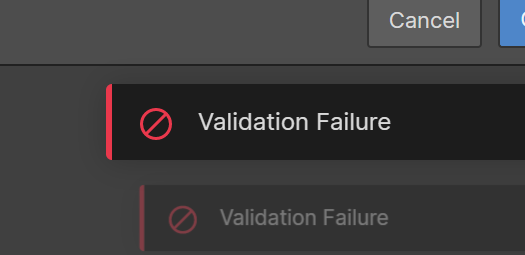
Hi there, I’m trying to create new blog post via CMS and I’ve not had issues previously. Currently it’s constantly displaying validation failure error message when I try to publish an article. Validation Failure|525x255
1 Like
Hey Avelyn C
It would help if you posted a read only link so that we could see.
However I had this similar issue just now and it turned out that I had written in the date the wrong way around i.e DD/MM/YYYY rather than the American style: MM/DD/YYYY
Make sure this is okay and try again.
Worked for me =)
2 Likes
I was getting the validation failure for a whole lot of products I had imported.
Turned out there was a compulsory reference field that wasn’t selected. Thomas’s post put me in the right direction to solving it for me.
The problem was the validation error didn’t HIGHLIGHT the error, so I couldn’t immediately see the problem. But reading Thomas’s post prompted me to check every field to see if they failed validation in any way and found the problem field. Once I SELECTED a reference then SAVED the record I no longer got the error.
In testing if I SELECTED a reference field then DESELECTED the reference field then clicked SAVE: I got an error but it wasn’t a validation error, the field that was the problem got highlighted and the screen automatically scrolled to the field.
So the validation error I got seemed specific to this particular use case: I had imported a record but there was no data for the custom field that required data, so it allowed the CREATION of the record but when I went to edit that record it couldn’t validate it due to the empty field. A tricky one for the bug testers!
2 Likes
I just had exactly this issue - thank you!
The most frustrating part is that it shows the error pop-up but no error ‘identification’ around the incorrect field.
2 Likes
I had the same issue just barely. Mine was because I had ƒ stop symbol like that in the desc of most of the collection issues and it didn’t like that.
Hi Brando! In case you are reading this, the problem persist, I´m getting this failure now.
 i have solved the error here. I deleted some images from the image bank and i was able to post again.
I had the same issue. I tried refreshing/reloading webflow, but that didn’t work. But, when I published my site, it fixed itself 
No idea why this worked but it did! haha
Similar to Heyden_Cowdell, I had this issue with an item title that was using the ‘&’ symbol. The slug didn’t like this, and even when it wasn’t transferring the ‘&’ symbol to the automatic slug, it was creating an error in the background. I just saved the item with an ‘and’ instead of ‘&’ in the title, and then once saved went back in and changed the title without touching the slug.
It would probably work too if once edits the slug manually.
I hope this helps!