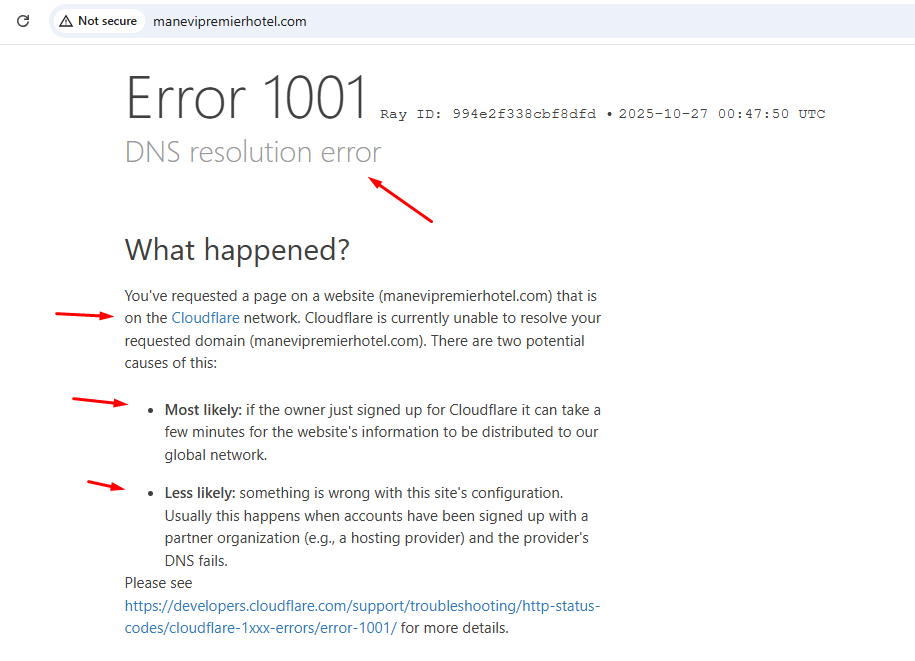
So I bought a domain from a provider who uses cPanel for hosting, then connected it with my website built with Webflow. I set the right DNS record provided by webflow but it’s 2 days now and website just can’t go live. It keeps showing Error 1001.
To resolve DNS connection errors, you’ll need to configure the correct DNS records and remove any conflicting ones. For Webflow sites, maintain only these two records:
One A record with hostname @ and value 198.202.211.1
One CNAME record with hostname www and value cdn.webflow.com
Access your cPanel DNS settings and remove any additional A or CNAME records as they may cause conflicts. Once you’ve updated the records, go to your Webflow site’s Publishing tab and click “Check status” to verify the connection.
For additional troubleshooting, you can use the Why is my site down tool to check your site’s status and get specific guidance for your situation.
Hopefully this helps! If you still need assistance, please reply here so somebody from the community can help.
I see, was double-checking due to what’s reported as nameservers on your www .
That’s fine, it’s simply showing the CNAME’s resolved nameservers.
Contact Webflow support and “open a ticket” with the bot- I think the problem is that the SSL certificate hasn’t provisioned properly.
id 61082, opcode QUERY, rcode NOERROR, flags QR RD RA
;QUESTION
www.manevipremierhotel.com. IN NS
;ANSWER
www.manevipremierhotel.com. 360 IN CNAME cdn.webflow.com.
cdn.webflow.com. 21600 IN NS lamar.ns.cloudflare.com.
cdn.webflow.com. 21600 IN NS journey.ns.cloudflare.com.
;AUTHORITY
;ADDITIONAL
It turned out my domain registrar has their own custom panel where i can update my DNS record, meaning i need to update twice - one for domain registrar’s panel, one for cpanel. So annoying!
My site is live now! Thanks everyone for your help!