Global nav in Symbols is broken, Nav shows on the live site, yet in the designer its nowhere to be seen? I can see the Global nav in the Symbols panel yet it just won’t show when dragged out?
Just an fyi, that I’ve helped Daniel with this one already For posterity, a quick recap of what was an issue:
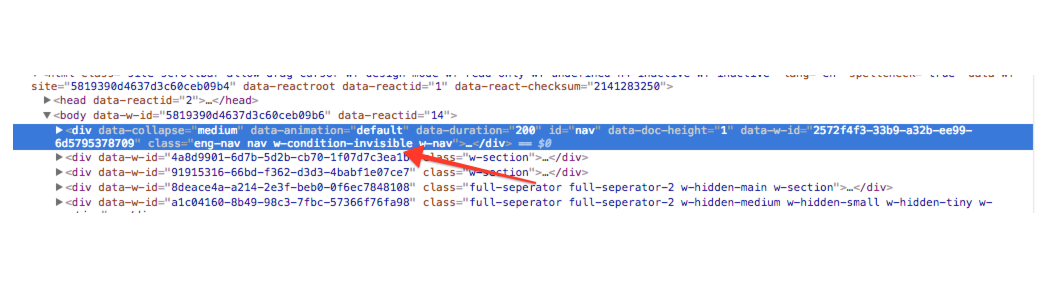
I’ve noticed that the Global Navbar has a .w-condition-invisible class on it.
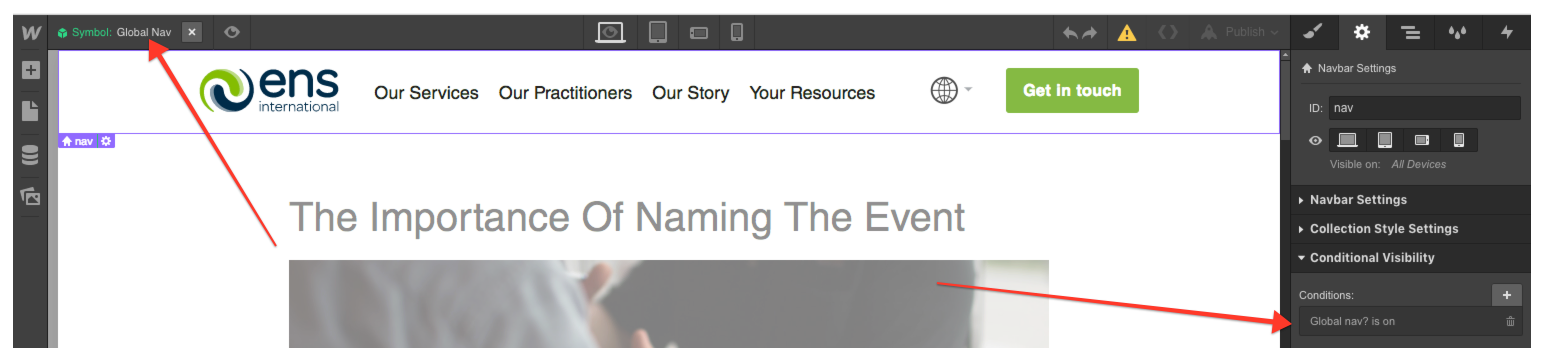
That made me think that there is a Conditional Visibility on that navigation used somewhere - probably on a dynamic page. I’ve checked the Blog Post Template page and found a Global Nav. Double-click to edit the symbol and voila!
Removing a Conditional Visibility from a symbol navbar on dynamic page resulted in the symbol showing up properly on static pages.
To still have a navbar on dynamic pages, I’ve recommended duplicating Global Navbar and make it purely for dynamic pages.
@daniel_cleayweb hopefully your case is resolved, but feel free to reach out to us if you have any other issue
 For posterity, a quick recap of what was an issue: