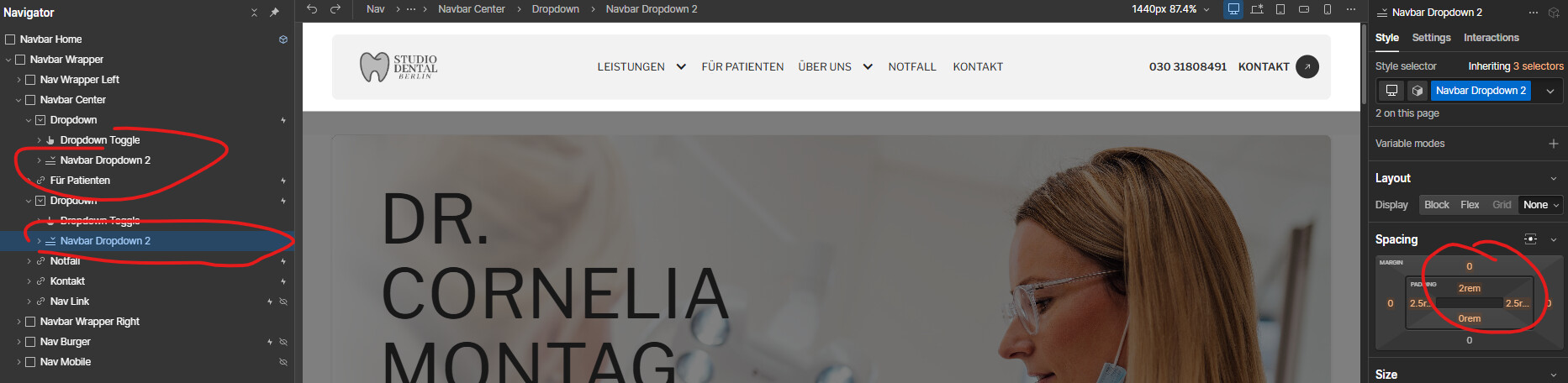
I am quite new to webflow and am struggling a Nav bar Drop Down List.
When moving downwards (toggle to dropdown list) the dropdown list closes and I am not able to click.
In a seperate thread I have read that margins need to be removed - but even after having done so, the drop down list still closes.
The dropdown stopped working because you added top margin to the default Webflow dropdown settings (So when you go down you hover on the space = “empty” area).
I had the exact same issue when I started with Webflow. Usually the dropdown closes because there’s a tiny gap between the toggle and the dropdown list. Check in the navigator if you have padding or a small gap on the container. In my case it was a forgotten 2px and it kept closing the menu.