Hi there, I’m revamping one of my page (here’s the read-only Webflow - Site Kolsquare) and I’m trying to have a multi select filter. This page is the mother page to all of our industry rankings and we want to have the best navigation on it.
Since we have a lot of different country and industry, I’ve created 3 dropdown filters thanks to finsweet attributes (one for the country, one for the industry and one for the social). The filters are doing their job but in order to show the visitor what filter he already chose, I wanted to also display a little button telling which industry is currently filtering, another one for which industry and a last one for the social chosen.
When I’m using only one filter it’s working but when I select an industry + a social or a country, they all disappear (even if the select is right on the industry rankings). Do you know why? and how I can have them all displaying? (they could be hidden currently in a div block called active-filters in the List block)
First, your FS filter setup looks a bit strange to me, and that might be the source of your problem. You can see that the dropdowns don’t close as you’d expect when you select an item.
For pick lists, FS filter is designed to work with a Select Option list, which I’m not seeing on your page- you’ve wired the dropdown directly, which does not have a selection state.
Usually you’d want to use this setup for each of those 3 filters;
A select option as the actual filtering mechanic
Then if you want styling, you connect that to a dropdown element using the FS Custom Select lib. This proxies the select and fixes the dropdown to behave like one.
That will give FS filter a better cleaner setup with better state tracking.
At that point, the 3 dropdowns will already indicate what’s selected, and I’d add a “( select one )” option to each for initial state, so that the user can de-select filters that they don’t need.
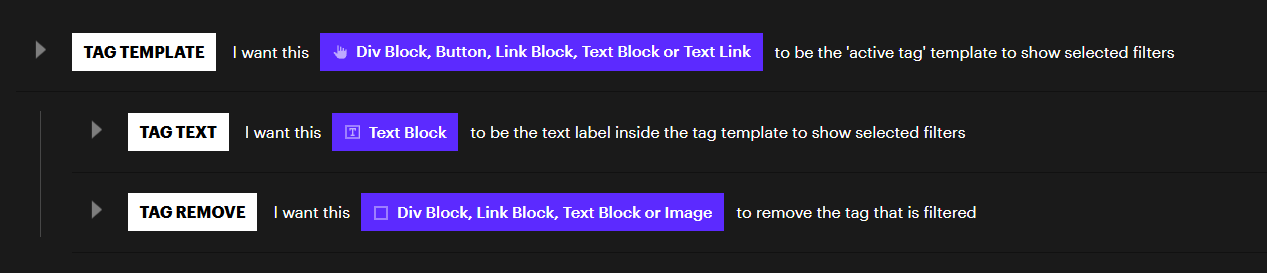
If you still want an extra UX layer of “this is the filter you’ve selected”, then you probably want to use this feature of FS CMS Filter.
Yeah I know it looks kind of strange, let me explain why:
At the beginning it was just radio button but as we’re having more and more industry and countries, it became too heavy for the UX. So we thought about the dropdown button
I need those filter to be dynamic and using the right collection, but with the select option list I can’t use CMS collection
That’s why I used an Advanced Dropdown and design it to be the filter selection
I’ll try to use the Tag (I did not know this option) and let you know
It works! Just a tiny problem: I can’t change the color of the Tag (I mean, the best would have been a purple tag for the country as the filter is in the same color, a orange one for the social and a blue one for the industry) but I can overcome this ;)
I don’t think I’ve ever needed to do that, but if it were important you could use some JS with a mutation observer and then add your chosen styling class to each.
If you look at the examples in FS docs, you can see they include the text of each filter type, so it would be easy to distinguish with custom code. Unfortunately I don’t see a way to do it with simple CSS. An attribute with the filter type the tag represents would be convenient here.