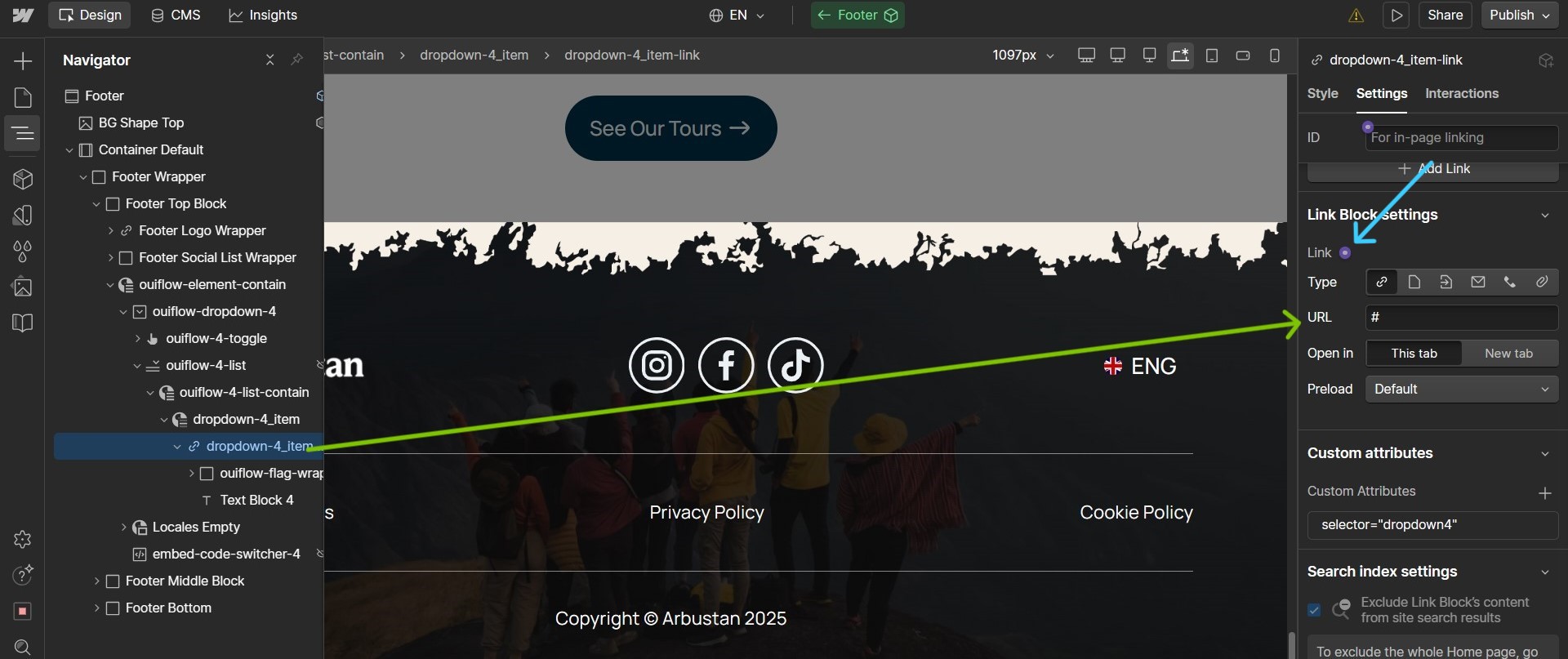
@Arbustan can you confirm that your site is on a Basic/CMS/Business plan and that the Localization add-on is activated? Without it, the language switch won’t work.
The link element that you have currently is mapped to a static “#” value, you can instead map it dynamically by clicking the ‘+’ icon beside Link as highlighted and it should ideally work.
You can add an additional Locale list element just for testing purpose and compare the link element with the element that you have setup for this use-case and see how the ‘Page’ is mapped in the Locale list element, since it is dynamic it should not be an issue. I don’t have access to edit or show the settings via read-only link of your site and I personally have not tested it in my workspace.
But comparing it with a basic Locale list element should help you out in fixing the links, the text value that you have mapped is perfect since it takes the ‘Locale name’ as dynamic value, you just have to link the right dynamic page instead of static URL ‘#’.