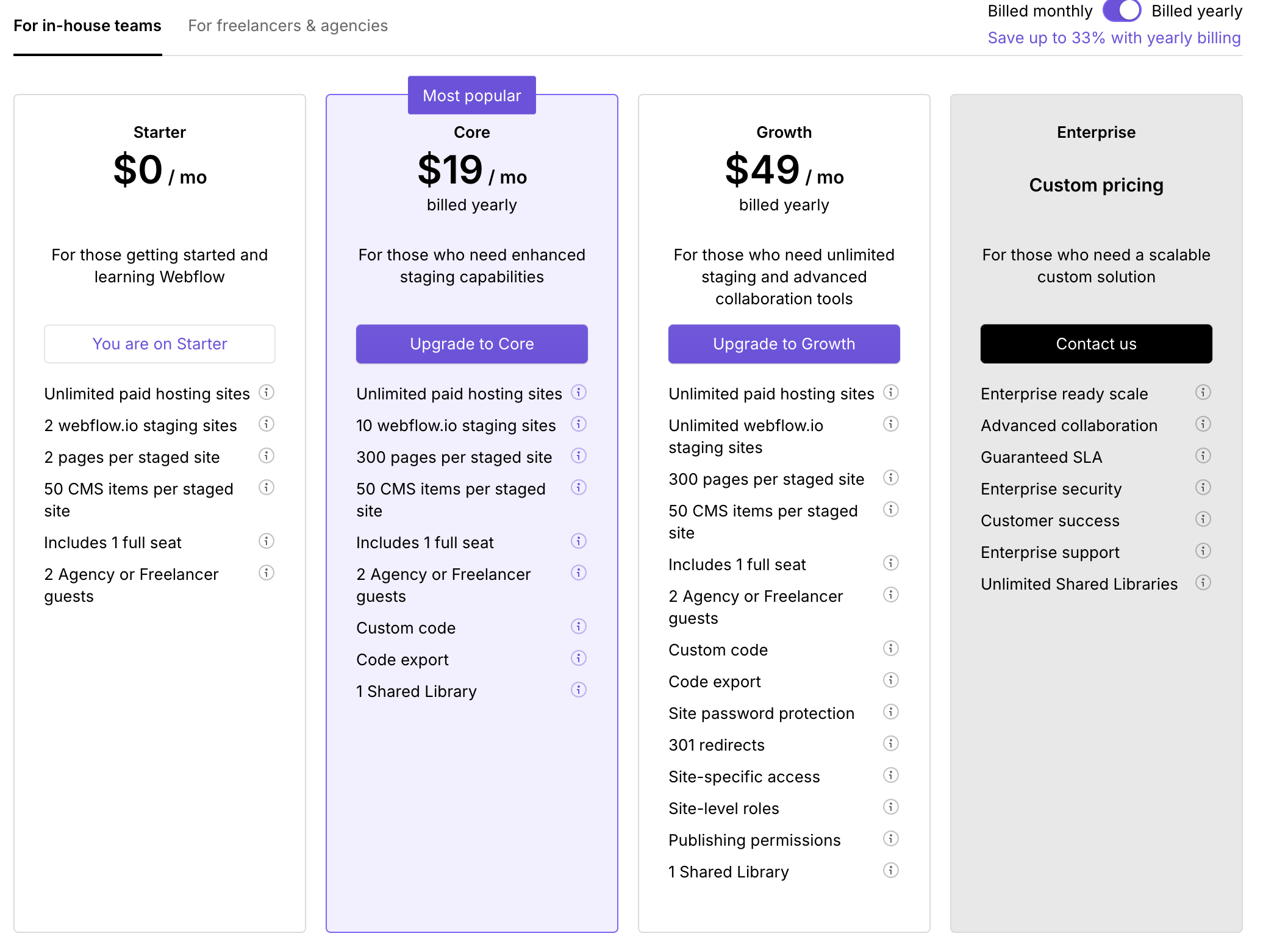
Hello, I need to take over ownership of a site built in Webflow by another account, they will transfer the account to me. They currently have the CMS Site plan and I need to a upgrade my current free account to a CMS. However your option once logged in do not match what is on your Plans & pricing | Webflow page. The names of the plans are different and so is the pricing! See attached screenshots. How do I upgrade my account to the CMS Plan?

Hi there,
As of July 15, 2024, we’ve updated our Site plans and features. The CMS Site plan offers enhanced capabilities including:
- 2,000 CMS items
- 20 CMS collections
- Custom domain publishing
To upgrade from your free Starter Site plan to a CMS Site plan:
- Navigate to your Site settings
- Select the Plans tab
- Choose the CMS Site plan
- Complete the upgrade process
When upgrading, Webflow will automatically prorate the cost based on your existing balance, credits, and the remaining days in your current billing cycle.
Hopefully this helps! If you still need assistance, please reply here so somebody from the community can help.
Hey @ltempest ,
The plans you are seeing in the second screenshot are ‘Workspace Plans’ which is accessible by clicking the ‘Plans’ from the Webflow dashboard directly.
To see a list of site plans, you can select ‘Site settings’ (you will be able to see a settings gear icon, when you hover over a site from your Webflow dashboard) and then click on Plans from that Site settings panel. You should now be able to see the plans listed in the first screenshot there.
Hope this helps.
Adding, you probably won’t need a workspace plan.
Also, site transfers generally allows site to be transferred without cancelling the plan. You may need to cancel it if you’re switching credit cards.