Yeah this is confusing but I think on the guidelines when they say GSAP they are referring to the new Webflow interactions using GSAP. So I think you can use GSAP as long as you use it with the new interactions panel, and as long as you have a separate page explaining how to use those animations. As for traditional GSAP code, I think based on the docs, that is still not allowed. I hope this helps.
Thank you for replying.. but now I’m more confused
Not sure what you mean by “traditional GSAP”
All I know is that GSAP is now easier to add to Webflow instead of adding the library and downloading GSAP and whatever because of the buyout, now it’s just turn on GSAP in settings and add custom code in page or site settings and that’s it.
I don’t know what you mean by Webflow’s GSAP and traditional GSAP.. Aren’t they the same? (I didn’t even know there was even a difference)
So there are two routes to add GSAP powered animation to templates
Custom code
The new Webflow interactions
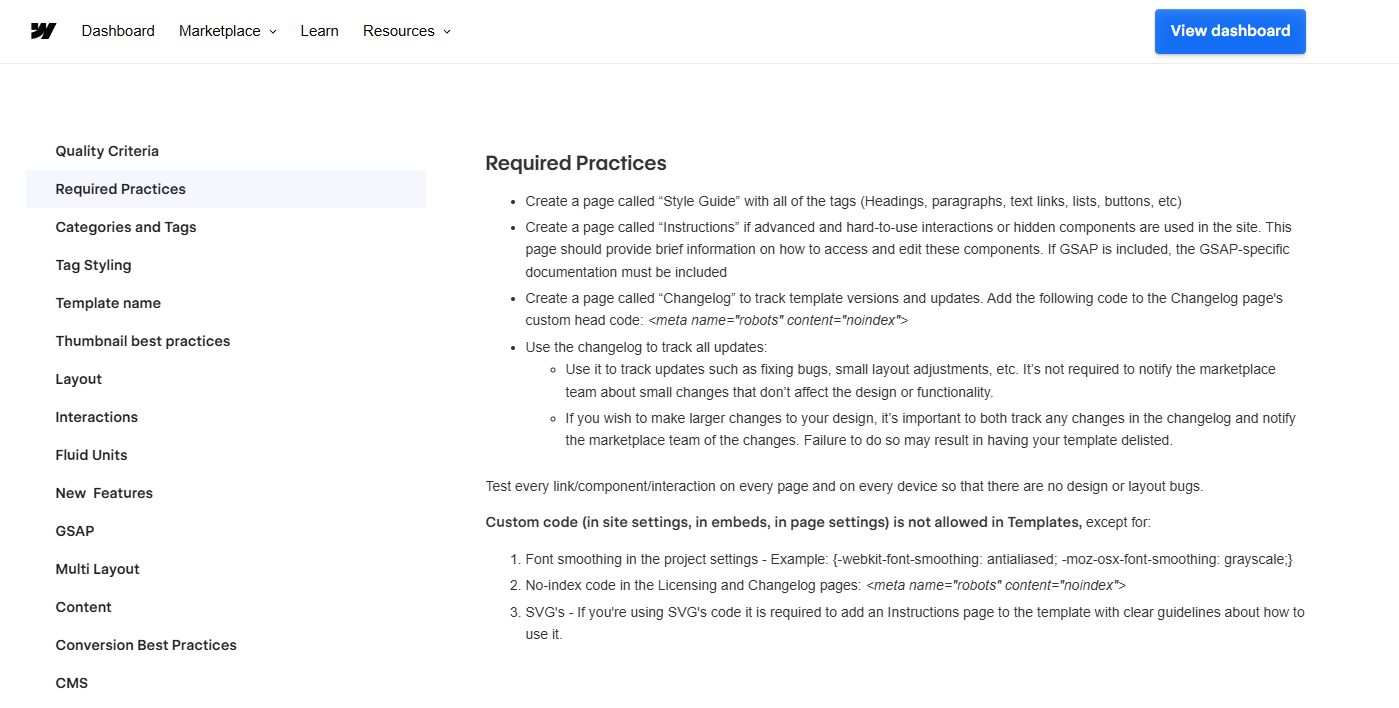
Very recently Webflow decided to add a little leeway to the “no custom code” rule to allow specifically for custom GSAP code within templates. This is quite strictly moderated. As you see, the outline you provided in the screenshot shows the guidelines for writing custom GSAP code. I agree this needs to be included in the Custom code exceptions
Yes I was wondering why they didn’t include GSAP custom code as an exception in the “except for” list if it was allowed… but thanks to you, it’s clear now and thank you @Pablo_Cortes too for trying to clarify!
This is my first post and loving the support already.. much appreciated


 and thank you
