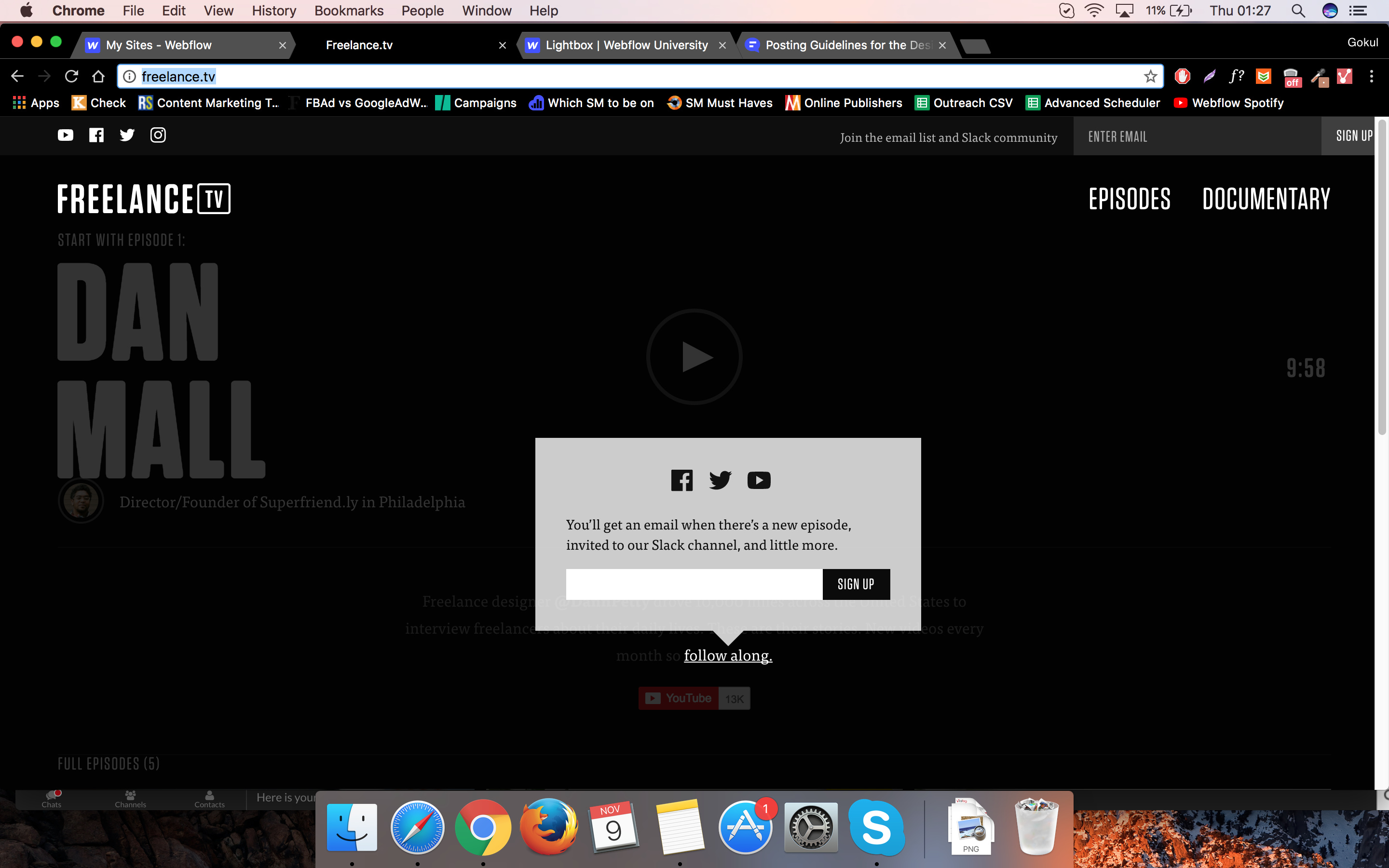
Hi! I started out recreating the freelance tv site that Nelson was showing on Youtube. I wanted to go a step further and recreate the entire site, including a few pieces he didn’t have time to go over. One area was a particular problem. on the site.
When you hover over the ‘follow along’ text, a pop up appears, kinda like a lightbox. I’m not quite sure how I can achieve this.
Also, every time I was adding text blocks or headings, this purple/blue line showed up under the text. This wasn’t an underline or border. I tried everything. Does anyone know anything about this? You’ll see this on most of the text on my published page.
If I’m understanding your question properly, there are a few ways to do with interactions. One way is to design the pop up as you want it, then set its display to none. Then, create a new interaction on the hover event of the element that should make the popup appear. For hover over, set the display to block (or inline-block depending on your needs), and make it invisible again on hover out. If you need the popup to move depending on which element is being hovered over, you can also do this in the hover over step.
As for the underline-- is the parent element a link block or button or other link? If so, you need to take the underline property off of that one (the parent)
As @garymichael1313 said, if you could send a share link that would be very helpful!
I just tried on Webflow itself, and here is how it build:
Make single Div
Set Border to 16px
Set left, right, bottom color to: transparent
On the Div layout, set width to 16px
DONE! you have a downward triangle!
No3. this requires interaction that affects opacity, So basically, the dark area is a fix div that cover entire pages [with Width: 100VW and Height: 100VH]and have z-index higher than other element and triggered when those boxes come out.