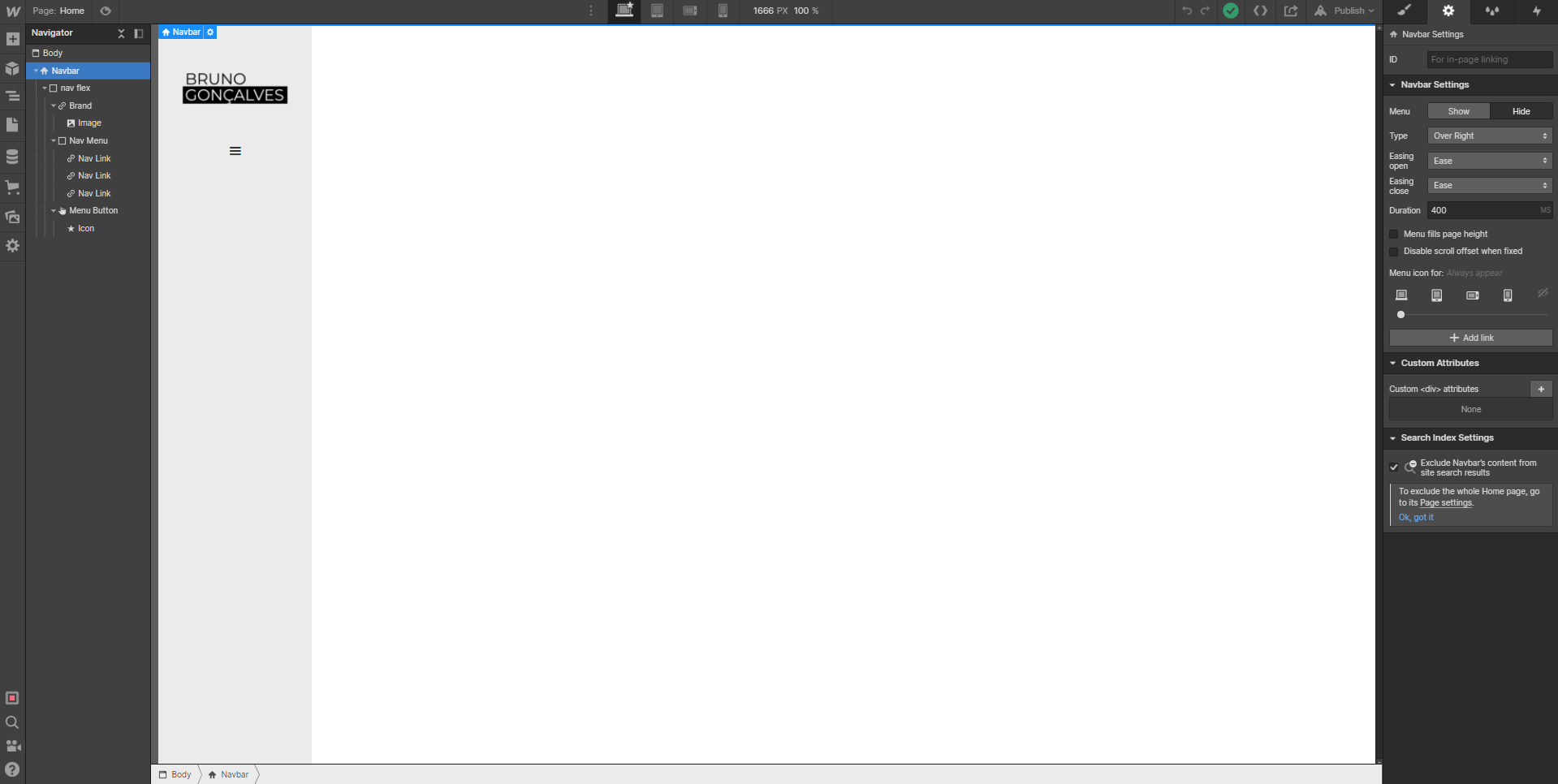
Hi! Anyone can explain me why the Open menu option of the Navbar doesn’t show up?
I tried many solutions, even delete the navbar and create another one…
It’s going to be difficult to diagnose any issues with that functionality without taking a closer look at your project. Would you mind replying with the read-only link so I can take a peek?
So it looks like the presentation of the settings for the native navbar element have changed a bit—instead of an “Open Menu” button they have a two for “Show” and “Hide” that toggles the state:
My guess is that this was adjusted to improve the UX a bit, but clicking the “Show” button should offer the same end result as the “Open Menu” did previously.
Keep in mind that while your menu appears from the right on the live site, the menu actually appears over the left-side column when you toggle this on/off, however it shouldn’t prevent you from updating the nav menu as you’d like
Yeah, that’s what I suspected… I even tried to work with the “show” button, but it turns out that when I’m editing the menu it’s not fully visible. I’m trying to make a menu that takes up the entire dimension of the screen, fullwide. When I preview in live it looks fine, but when I’m editing the elements disappear, in this case the buttons.
So I don’t know if it has to do with the “show” button, or I’m the one who’s not doing things correctly (very likely).