I am trying to make a grid code component that accepts multiple children in a slot prop. I know the slot prop returns all children as one react node. In my code I am trying to iterate over the single node to display all the children in different cells. But on Webflow all the children are showing in one cell. Any ideas what I could be doing wrong? I am using Tailwind for styling and all the other styling is fine.


Hi Dee,
I haven’t been deep in code components this month, but my approach would be to console log your objects so that you can see them easily as the component is processing the data. It sounds like you’re getting a parent of the children, likely the slot DIV itself.
Use React.Children.toArray(slot) so each child can be mapped into its own grid cell, Webflow passes the slot as a single ReactNode. Had to do this in a recent client build; it fixed the “all children in one cell” issue.
Hey I tried to do that with the childArray variable above. Did I use it wrong?
Yeah it looks like only the parent is coming in based off what I see in WebFlow. I tried a few methods to pull the children individually from there but nothing is working so far. How did you get it to work in your masonry grid component?
I logged the slot prop, then I tried the Children to Array, and logged that too. It doesn’t seem like it’s working because there should be 3 child components and the array is showing a value of 1.
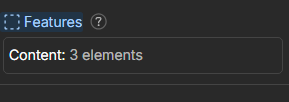


Hey @deetuck - its mentioned above, but the one child you’re seeing is the container of the slot (Webflow adds a div parent to hold all the component children).
Are the child Icon components in your screenshot code components as well? Or just regular Webflow components? If it’s code components, currently you’ll need to do some extra DOM parsing to grab a reference to those children. Note that if they are code components, you’ll need to tap into their own shadow roots to grab the underlying DOM.
Here’s a sort of hacky short example showing how to query that. We’ll likely find ways to make this easier natively but hopefully this is a start:
Note that the span is me assuming the nested components contents are just spans, as an example.