I have a cms filtering on a page that is not showing on the published staging link at all. I have another page with the same filtering, just with a different cms connected to it and it’s working fine but this one just doesn’t seem to work. It will only show the “no result” box.
I have triple and quadruple checked the attributes to make sure they are all on the correct elements, so I’m unsure why this filtering cms won’t work but the other page’s is working!
I have the following steps completed:
Script on the page head code
fs-list-element=“filters” on the form div and not on the form itself
fs-list-element=“list” on the collection list
fs-list-field & fs-list-value on each radio button or checklist box element with respective IDENTIFIER and value of which that filtering item holds
the text block on the corresponding collection item with fs-list-field=“IDENTIFIER”
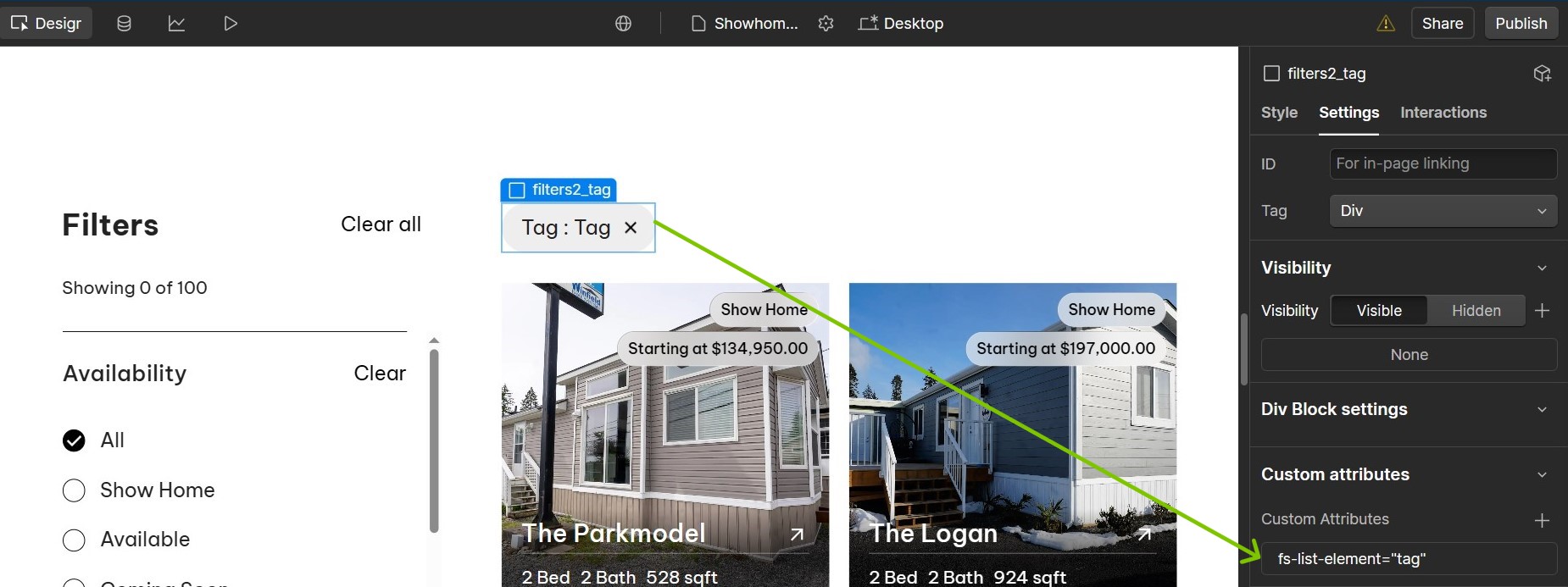
I noticed that the Tag element (placed above the collection list visually) in the Floorplans page has some incorrect Finsweet attributes. You can check Showhomes & Inventory page where you have set pretty accurate tag specific attributes.
Can you ensure the attributes are as per the Finsweet Docs and publish it to test if the filter works?
Hello @AJ_Dev ,
Thanks for getting back to me so promptly!
I have the tag set to fs-list-field=“floorplan-category” for the floorplan tags on the floorplans page while the showrooms page has fs-list-field=“availability” for the availability tags. Maybe I’m misunderstanding what is incorrect with these attributes.
Since you are using Finsweet v2, you can copy paste the attributes like you have in showhomes page and format the tag element in Floorplans page accordingly and test to see if that works.
Great, that solves one issue, since now we can see the selection made in the filter reflect in the tag element.
I was having a look at the individual filters and have some observations which seems to be causing the issue on the page.
In the Floorplans page, under Square Footage filter, the ‘All’ radio button element does not have any finsweet attributes like fs-list-value and fs-list-field. You have these attributes set for the same filter in the Showhomes page as follows:
You can set the attributes accordingly and you might want to change the field value to ‘Size’ instead of ‘Availability’ on both pages if that’s the identifier you are setting the filter for.
Other things that I noticed would be:
For the 1 Bed and 1 Bath elements in the Floorplans page, you have the is-active class added to it, which you can safely remove as mentioned in the Finsweet docs, since from a visual perspective the items look checked by default on the page but you have not added the active class finsweet attributes to it necessarily. Even if you want those to be checked by default, you can add the attributes and remove is-active class on it since on the page it looks like it is selected (only because of the background color change), when in fact its not selected by default.
Hope the first point solves the issue. Let me know if you still face any blockers.
After those round of changes, the filter finally showed on the page!
Thank you so so much. I appreciate your attentiveness that got me out of this mess.
I will be sure to check these attributes more carefully the next time I use this filtering.