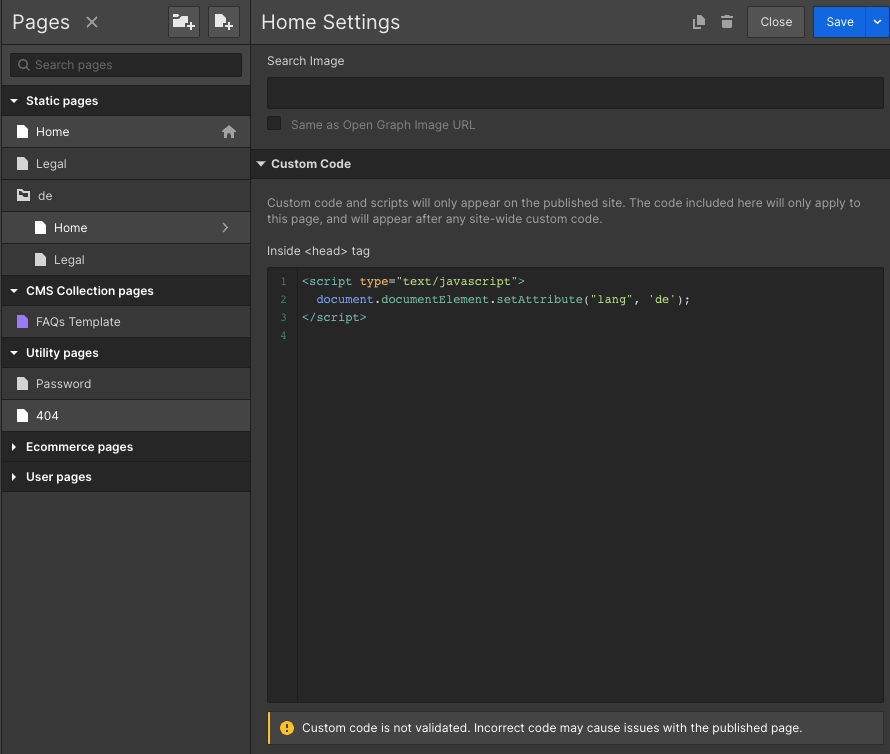
I’m building a multilingual website with a App that refer to the “lang” attribute of the html tag before the “head”.
In project setting->custom code i can change the tag but i need to change it on specific page, can you explain me the trick to make that append please?
The way I’ve done it is simply by defining the lang attribute manually in each page with custom code instead of using the option in project settings.
This is how I did it and some SEO checkers seem to find it correctly:
@harryqover if you have different language versions of the same page, you should also use hreflang tags, as shown in my screenshot, to tell google those are actually different languages. This way google won’t penalize you for duplicate content.
Thanks for the info, that’s good to know. But I believe it’s Google’s DevTools that moves it to the right place and not Webflow, since when viewing the source code, it is shown as in my previous comment.
This is a hair-on-fire oversight for multilingual sites with accessibility requirements. The WCAG standard requires the page language to be set in the “lang” attribute of the html tag.
A Web page produced in Germany and written in HTML includes content in both German and English, but most of the content is in German. The default human language is identified as German (de) by the lang attribute on the html element.
It’s simply the state of affairs that audiences are sensitive about issues of language and accessibility. I don’t want to put a client in hot water simply because I chose Webflow to make their site.
@PixelGeek hey! what’s leading to us still fighting for a lives here, in 2022, not being able to set the html tag’s lang attrib per page? This doesn’t have to fall under some grand i18n plan, surely? You’ve got other per-page values.
Allowing this would at least unblock a huge swathe of us who have sites with pages in different languages and want to reduce SEO/browser confusion by having a lang tag that doesn’t match sitemaps/hreflang values or page content.