Hello!
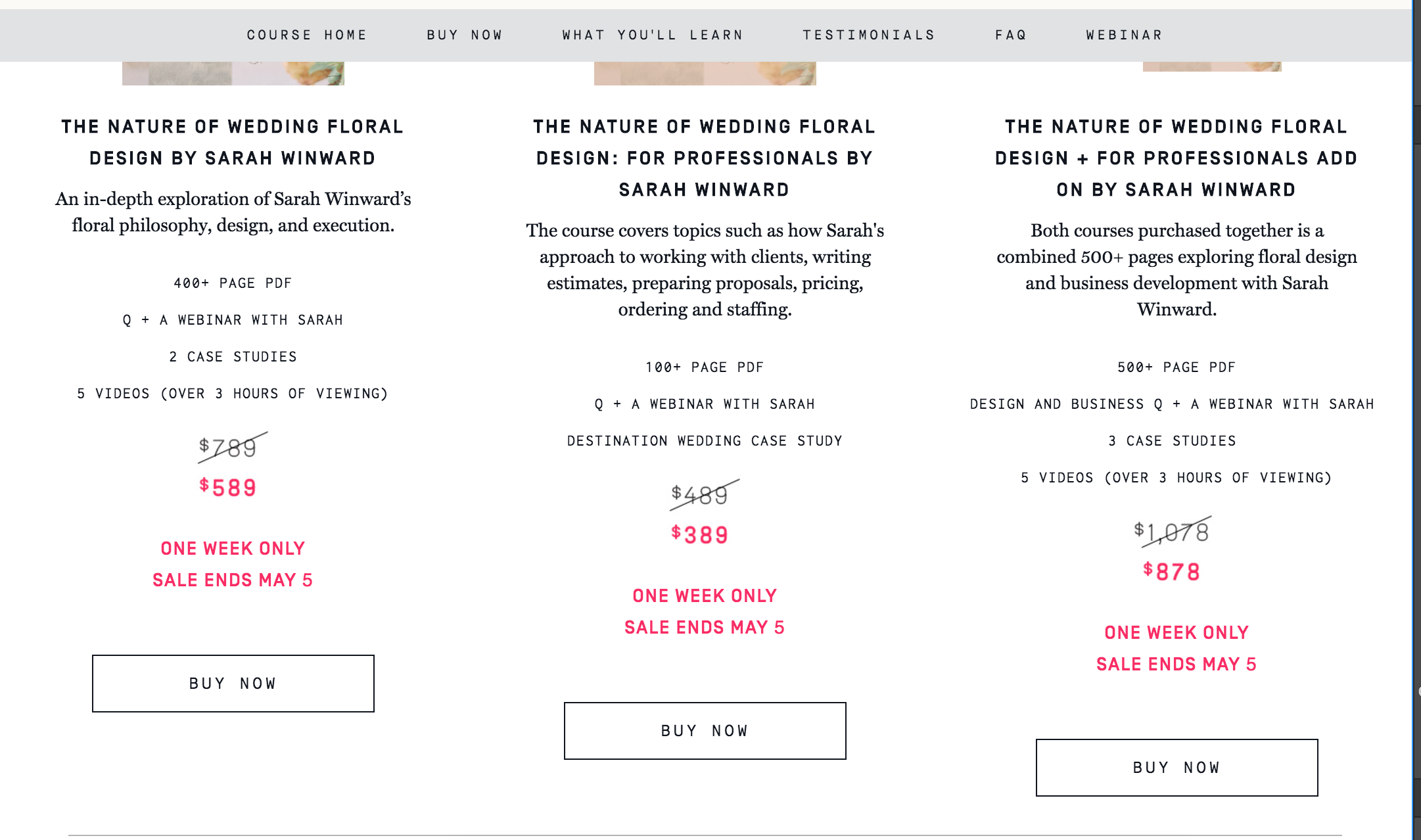
I have three Buy Now buttons in my dynamic list and I would like to be center aligned with each other. Any thoughts on how to do this?
https://preview.webflow.com/preview/if-i-made?preview=b927bcc3f73e949d966e11fe212a588a
Hello!
I have three Buy Now buttons in my dynamic list and I would like to be center aligned with each other. Any thoughts on how to do this?
https://preview.webflow.com/preview/if-i-made?preview=b927bcc3f73e949d966e11fe212a588a
Let’s breakdown the process, beginning with sibling blocks in a container.
So, we get this when giving the blocks display:box
http://vincent.polenordstudio.fr/snap/bge69.jpg
And to make them stick to the top, we can add float
http://vincent.polenordstudio.fr/snap/nwif9.jpg
But in order for the blocks to get the same height than the most highest one, we need flexbox—hurray for stretch!
http://vincent.polenordstudio.fr/snap/50ikk.jpg
Now that this behavior is in place, we can work on the button position, let’s position:absolute it to the bottom of the block
http://vincent.polenordstudio.fr/snap/q4ddk.jpg
In order for that to work, we have added a bottom padding to the block element, to account for the button room (because once it’s absolute, it’s not counted in the room available) and a position:relative property who does nothing bu allow the absolute pos. of the button to work.
http://vincent.polenordstudio.fr/snap/0xrqd.jpg
Now, to make this to work in a dynamic list, give a class to your list and to the cells of the list.
Give flexbox to the list. And check Wrap children
http://vincent.polenordstudio.fr/snap/fyf7n.jpg
Now give flexbox to cells
Vincent—
Some time has past but I am finally getting around to implementing flexbox on my site in order to better align things. I think I have it working for desktop view but when I switch to ipad/mobile I cannot figure out how to stack the columns.
https://preview.webflow.com/preview/if-i-made?preview=b927bcc3f73e949d966e11fe212a588a
I have my flexbox layout above my old one on the home page. Also, I wanted to see why I am not able to add margin between my columns. I watched this tutorial https://help.webflow.com/video-tutorial/how-to-align-elements-to-be-equal-height-using-flexbox this morning and it didn’t seem to be an issue here.
Any thoughts would be greatly appreciated.
Thanks!