Accordion sizing issues during animation

Hi, I need some help to get the Accordian section at the bottom of the page, at the start of the animation, to reduce in size.

At the moment, all the accordions are at their maximum size (as shown in the photo).

But when A user clicks and activates the accordion, it works as it should and then reduces in size to the size it should be initially.

Can’t seem to figure out how to get it to sit at this size from the start.

Any help is much appreciated!

Set the accordion’s content wrapper to height: 0 with overflow: hidden as the interaction’s initial state. Had this pop up in a client build, defining that closed height stops Webflow from loading everything at full size.

@Adam_Telly, You can follow Webflow’s official tutorial to get the accordion working. Here’s the guide:

https://help.webflow.com/hc/en-us/articles/33961313037843-Create-a-custom-accordion

Hey @Adam_Telly ,

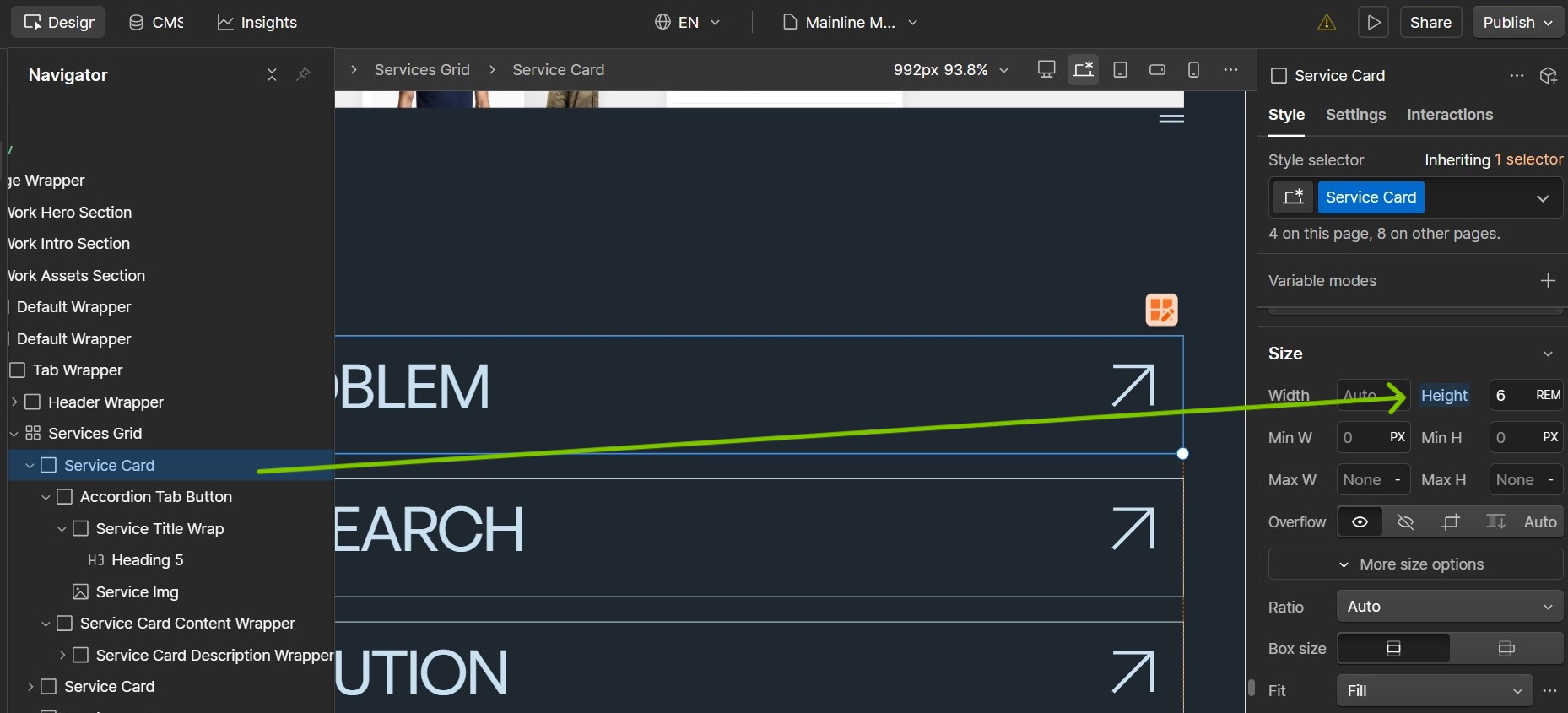
You can set the height of Service Card element for example as shown in the screenshot below. You can set it to any value that seems fit for your design.

You can then add an action in the Accordion Click Open interaction and set the height of the Service Card element to 100% as shown below:

This should solve your use-case and produce results as follows:

Hope this helps.

1 Like

Thank you for the fix.

My only concern now is with this interaction in place: how do you change or modify the text, as I can no longer see it in my preview mode?

Is it a case of having to reintroduce the interaction each time?

@Adam_Telly welcome.

You can select the text block that you want to edit and see the content in the right side bar under Settings tab as highlighted below:

Or else you can set the height of Service Card to Auto temporarily, and edit the text and set the height to the value you want as per the design requirement.

Hope this helps.