Not natively, but there are four ways I can think of using client-side script.
All of the other solutions I’d implement are server-side and require infrastructure and potentially services to create a db mirror of the CMS.
COUNT THE ELEMENTS
If you’re already loading the data into the page in other collection lists, you can simply count the elements. This is easiest with shorter lists, preferably < 100 items. It won’t work with paginated lists.
USE PAGINATION CREATIVELY
If you’re just needing the count of items of a single collection, you can create a hidden collection list, paginate it to 1 item per page, and enable the page count.
The generated HTML looks like this. If you give your hidden list an ID, then it’s easy to select the .w-page-count element within it, and then parse the innerText string. Here you’d get the 724.
This approach is the closest you can get to native support, even though it’s somewhat hacky. One big advantage is that you can filter the list specially if needed, e.g. “upcoming events” with a date filter, etc.
This is a slightly weird configuration, since it’s “generating” additional URLs for pagination on your site. While that won’t affect the sitemap, or SEO directly, it could create a rabbit hole that some searchbots will try to navigate. If I were concerned about that on a build, I’d put these “counter lists” on a separate hidden page, which is marked meta robots noindex, nofollow, and fetch them, or I’d explore using robots.txt to block at the querystring level.
SITEMAP.XML
Fetch your own auto-generated sitemap.xml, and count the items in the XML. This approach has worked quite well for me, but of course a delay for the fetch, and it may not be suited to counting very large collections.
FINSWEET CMS LOAD + CMS FILTER
CMS Load can aggregate paginated lists, and CMS Filter has the ability to show the total count of items. You’d have to play with this, but you might be able to get an effective item count this way with no code.
It is likely possible to use CMS Load only + its JS API to obtain the count yourself, without adding the complexity of CMS Filter.

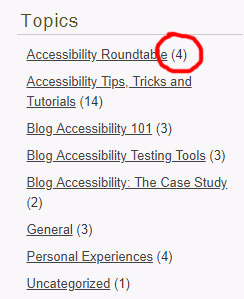

 (counting items on the list)