Next and previous button goes to top of the page

Hi there!

On the bottom of my blog posts I want to add a section which allows users to go to other blogs, including a next and previous pagination button.

Adding that section and pagination is not a problem at all. But once the site is live and I click on either next or previous it shoots me back to the top of the page. I just want it to stay on that section.

Any tips or tricks on how to fix it?


Here’s a link to the webflow domain to illustrate the problem. Scroll down to the read more section and click on next to see what I mean.

https://d3cisive-website-v2.webflow.io/blog/in-house-hiring-or-nearshore-outsourcing

Hello Yannick,

We usually solve this kind of issue by using a little bit of custom code magic. We use this code:

<!-- Start seamless-pagination custom code -->

<script src="https://cdnjs.cloudflare.com/ajax/libs/jquery.pjax/2.0.1/jquery.pjax.min.js"></script>
<script>
  var containerSelector = '#seamless-replace';
  $(document).pjax(
    '.w-pagination-wrapper a',
    containerSelector,
    {
      container: containerSelector, 
      fragment: containerSelector,
      scrollTo: false,
      timeout: 2500,
    }
  );
  // These 3 lines should reinitialize interactions
  $(document).on('pjax:end', function() {
    Webflow.require('ix2').init();
  });
</script>
<!-- End seamless-pagination custom code -->

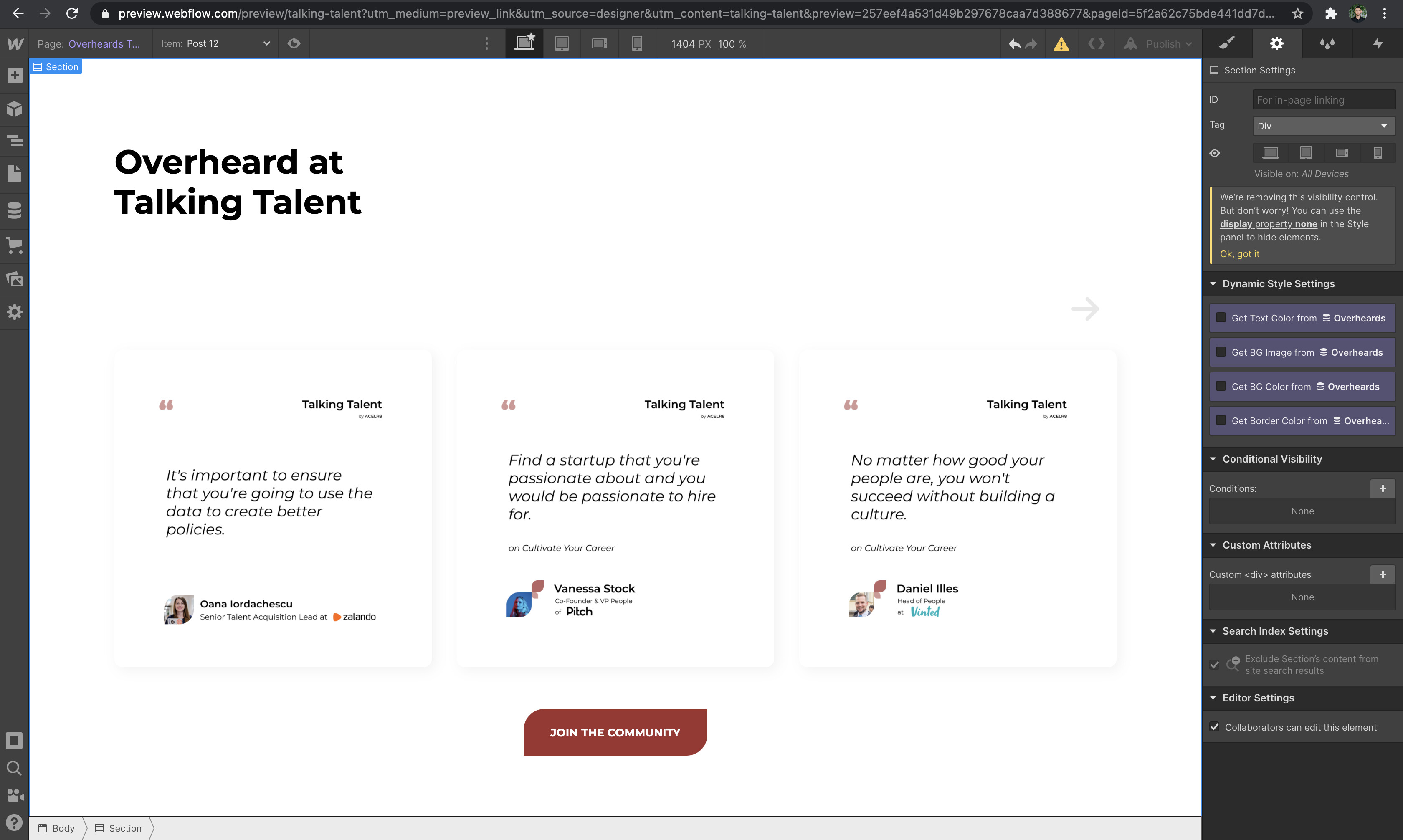
Only thing that you need to change is to give ID “seamless-replace” to your collection list wrapper ( the one where pagination is contained ) and it should work. You need to put it into Custom Code tab > Footer code in project settings.

Webflow Experts at Flow Ninja Support Team.

6 Likes

Thank you very much, that seems to work!

One extra question how does one filter out the current blog post from the collection list?

Always glad to help!
We would need to see your preview link to heelp you with that since we do not know on which page you need this function.

It’s one the same page, you can use the link provided above. I don’t want the current blog post your on to show in the read more section, because your already on that blog, so it doesn’t make sense to show that one as an option

1 Like

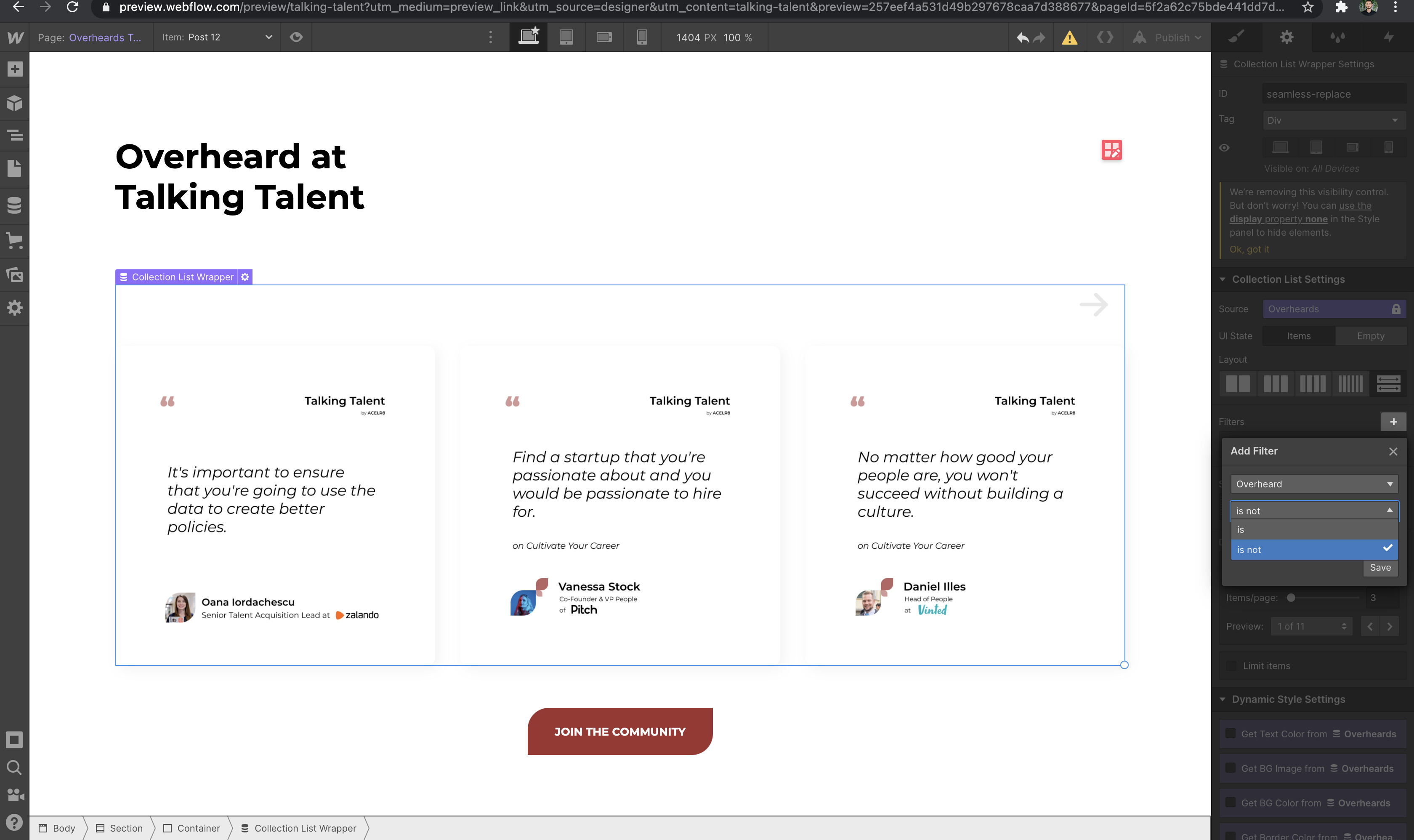
You will be able to do it if this is CMS page in question. Here are some images so you can actually see where you can set this up.


When you select collection list wrapper give it a Filter so it filters out current Blog.

1 Like

Thanks, should have looked a bit deeper into those options myself! That worked

1 Like

Thank you for the custom code snippet, does anyone else have the issue, when implementing this the page change works, but the Button, for next/previous doesn’t change? What am I doing wrong?


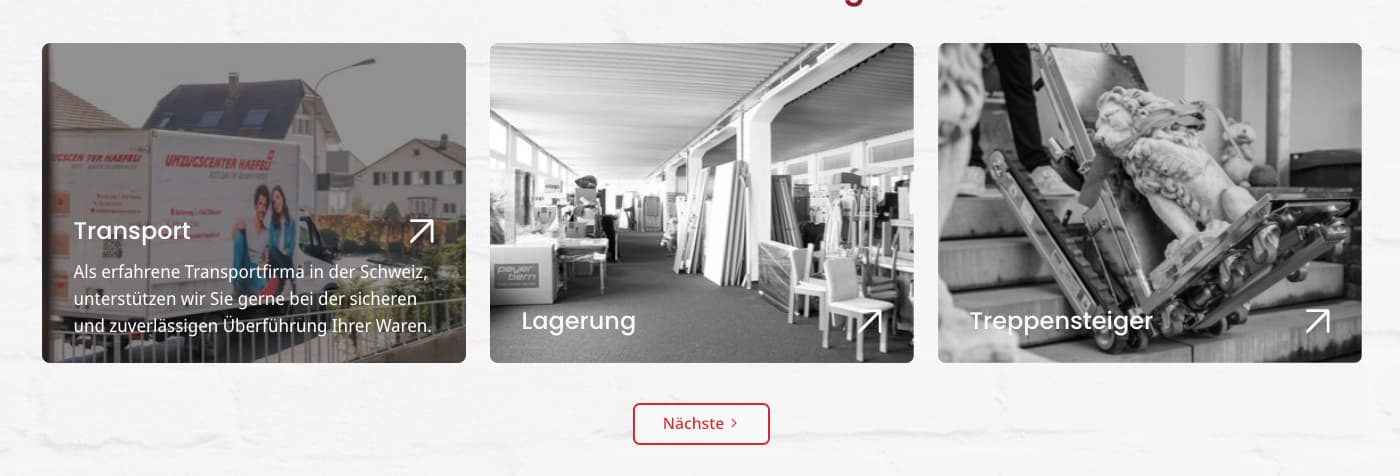
This is the “last” page so the button text should be “letzte”, it works in designer tho, but not on productive page: https://umzugscenter-haefeli-ch.webflow.io/leistung/reinigung?a3012479_page=2


That’s a screenshot from Designer, how the button should look like.

Here is my read-only link: https://preview.webflow.com/preview/umzugscenter-haefeli-ch?utm_medium=preview_link&utm_source=designer&utm_content=umzugscenter-haefeli-ch&preview=b01447f21804b2494f021089e33a05b1&pageId=63b33db68fdfb91e25e8e6c7&itemId=63b351d634a57c9fb23cc837&workflow=preview

Hello, I have 3 CMS on my home page and I applied difference CMS ID to the above code:
#seamless-replace-one, #seamless-replace-two, #seamless-replace-three’; however, after I published site
user clicked on next button it effected to other CMS, how to prevent it which mean I want it apply it specific on what user selected on next button.
example user clicked next button on cms-one but it also loaded for cms-tow & cms-three.

Hi @themikic this code is awesome, thank you! Just one question, is there an option within the code to press ‘next’ and have the screen move to the top of the CMS as well as changing it, rather than not moving at all and the user having to scroll to the top to view things again?
Seems like this should be natively supported in Webflow. This is standard behaviour across the internet…

Hi, i tried this code, still does not fix it