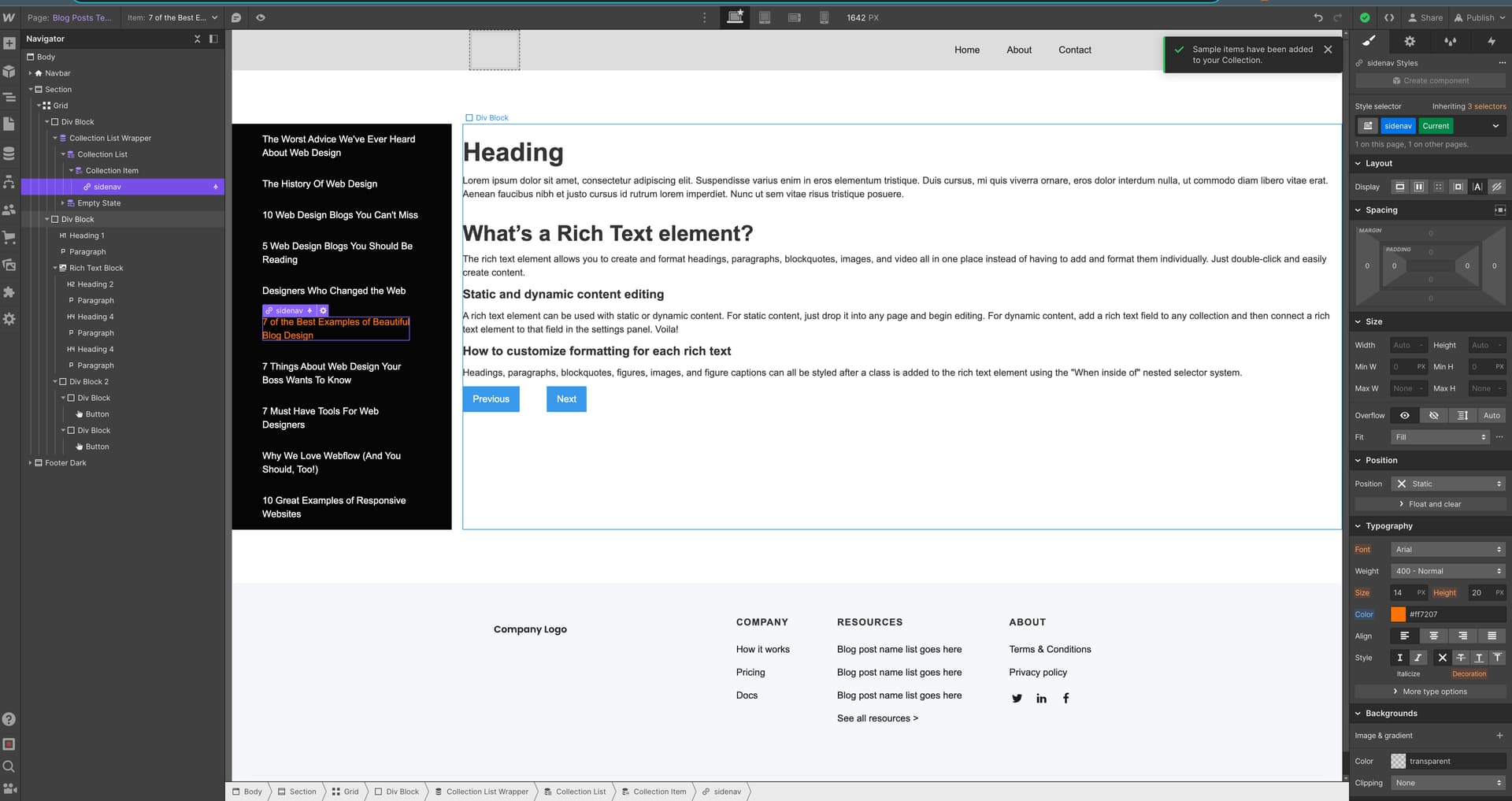
This is a really quick and crude example. So, I hope it helps! But if I were trying to recreate the example page, I would create a section, turn it into a grid, and alter the proportion with FRs to what I wanted. Then, I would use a CMS List inside a div block and link it to the CMS collection you want to allow visitors to navigate through. Just add a link text and connect it to the name and links of the CMS collection. Navigation done. (I don’t know how you would do the nested drop-down nav. You might want to experiment with a navbar somehow. I don’t know if that would work, but I’ve never tried.)
I would use the other half of the grid for the content and place it in the desired elements. For your documents, just adding a header, summary, and Rich Text (where you can place the text and gifs) would be enough. Link those to the CMS. Then, you can follow a tutorial to link your next and previous buttons.
This is one way to do it: Native linking to previous and next post or page using CMS - #11 by buryat
But you could also use FinSweet’s method too. https://www.youtube.com/watch?v=XhaEkmFx2x0
Anyway, I hope this helps!
*edit. Just realized that the nested feature was exactly what you were trying to achieve. I’ll mess around and see if I can get something to work. But I’m not sure of a solution off the top of my head. I know it’s possible with nav bars. But I’ve never combined that with cms collections.
edit answer Here is a video that should help: You can use a collection list inside of a drop-down and just add a filter. You could always create a drop-down field for articles with a list of categories and filter each drop-down based on those categories.