I’m working on a site and the $(window).scroll event in my custom code is not firing on the home page. I first noticed this after adding an animation on page load via the CMS, but removing the animation trigger doesn’t seem to make a difference.
Read only link: Webflow - Naked Aesthetics
The last code block has the event in question. This is placed in the footer section under site settings:
<script>
var Webflow = Webflow || [];
Webflow.push(function () {
    var date = new Date();
    var year = date.getFullYear();
    $('.footer-currentyear').text(year);

    $('.w-slider-arrow-left, .w-slider-arrow-right, .w-slider-nav').click(function () {
        $('.slide-container.active').removeClass('active');
        $('.w-slider-dot').each(function (i) {
            if ($(this).hasClass('w-active')) {
                $('.slide-container').eq(i).addClass('active');
            }
        });
    });

    var lastScrollTop = 0;
    $(window).scroll(function () {
        var st = $(this).scrollTop();
        if (st < lastScrollTop && st > 140) {
            // upscroll behavior
            $('.scroll-up-nav').addClass('sticky');
        } else {
            $('.scroll-up-nav').removeClass('sticky');
        }
        lastScrollTop = st;
    });
});
</script>
What’s really throwing me is the script works as expected on another page: https://naked-aesthetics.webflow.io/treatment/henna-brows. If you scroll past 140px and scroll back up, the “sticky” class is added and removed correctly on .scroll-up-nav.
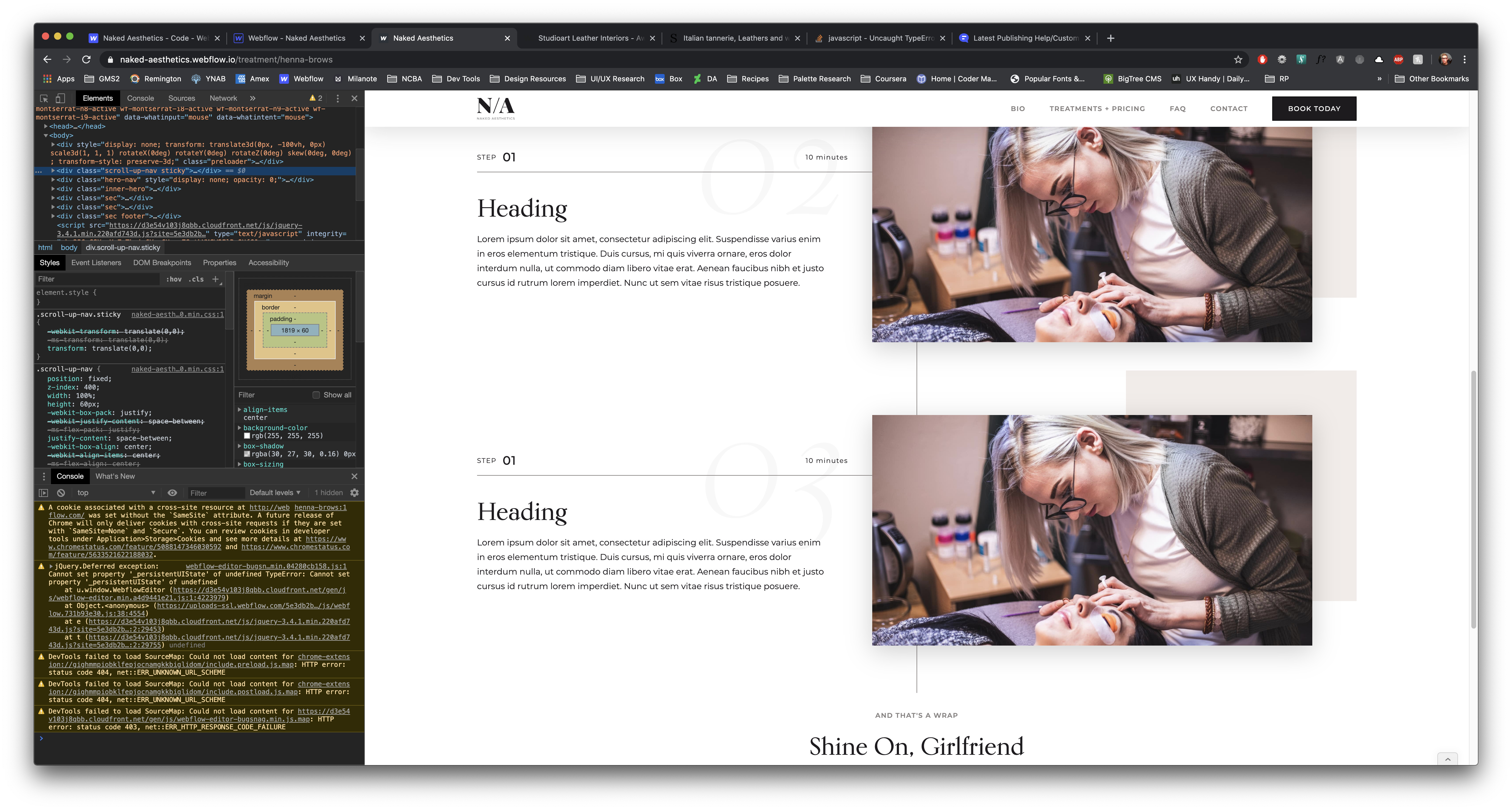
I’ve scoured the web and forum for a potential fix, but no luck so far. I’m by no means a javascript pro, so perhaps I’m missing something simple?